Work-from-home setups demand accessories that extend laptop functionality for extended video calls, multitasking, and ergonomic comfort during 6-8 hour daily sessions, yet many remote workers suffer from neck strain, poor audio quality, dim lighting, or tangled cables that disrupt focus and productivity in home offices, kitchens, or living rooms converted to workspaces. Budget-friendly additions like stands, external displays, and input devices create professional environments without office furniture investments, suiting freelancers, parents balancing childcare, or employees in small apartments where desks compete with family spaces. This Alex Top Finds guide details essential picks prioritizing adjustability, plug-and-play simplicity, and portability so beginners assemble complete stations under moderate costs that reduce fatigue, enhance call clarity, and organize cables neatly while supporting hybrid schedules blending meetings, emails, and breaks seamlessly. These recommendations focus on universal compatibility with Windows, Mac, and Chromebooks, ensuring stable connections, quiet operation, and space efficiency for sustained output without technical hurdles or bulky footprints dominating limited home areas.
Laptop Stands for Ergonomic Height Adjustment
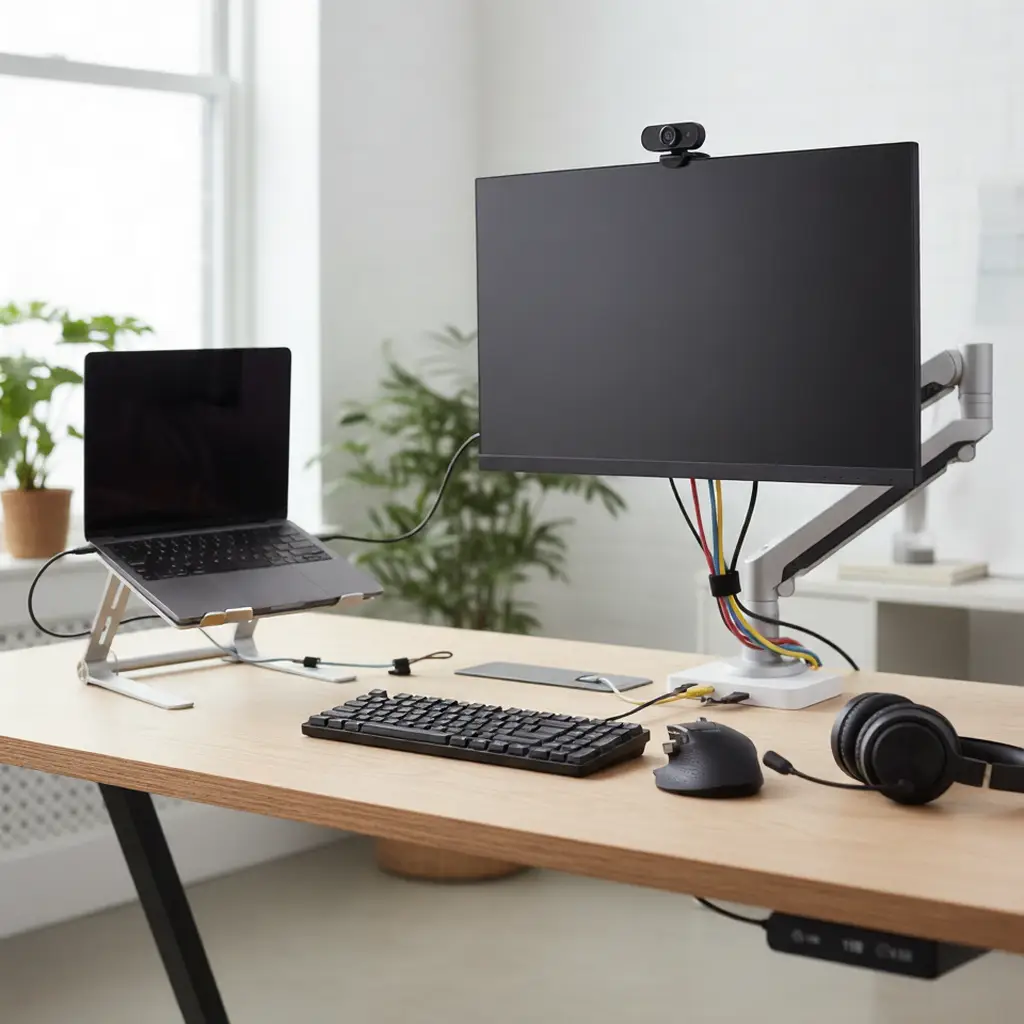
Adjustable aluminum stands elevate screens to eye level, reducing forward head posture by 20-30 degrees during calls and typing sessions that span hours. Foldable legs with 5-8 height positions (10-25 cm) accommodate seated or standing desks, ventilated tops preventing thermal throttling on thin laptops under load. Universal clips secure 13-17 inch models firmly, collapsing to 2 cm thick for travel bags without adding bulk.
External Monitors for Expanded Workspaces
24-inch Full HD IPS panels connect via USB-C or HDMI, mirroring or extending desktops to view documents alongside spreadsheets seamlessly. 75Hz refresh rates smooth scrolling through reports, with adjustable arms tilting 15-90 degrees for glare-free angles in bright rooms. VESA mounts attach to existing setups, blue light filters easing evening shifts without eye fatigue buildup.
Wireless Keyboards for Comfortable Typing
Full-size mechanical or membrane keyboards with 10m Bluetooth range or 2.4GHz dongles pair instantly, low-profile keys reducing finger fatigue over 1000+ daily keystrokes. Number pads accelerate data entry for finance or admin tasks, multi-device switching toggling between laptop and tablet effortlessly. Rechargeable batteries last 2-4 weeks, quiet switches suiting shared family spaces without disturbing calls.
Precision Mice for Accurate Navigation
Ergonomic vertical or ambidextrous mice with 16000 DPI sensors track smoothly across mousepads or desks, programmable buttons launching apps or macros for repetitive workflows. Silent clicks minimize noise in quiet homes, rubber grips preventing slips during marathon sessions. USB receivers store inside bodies, 300-hour batteries recharging via USB-C without interruptions.
Webcam Upgrades for Clear Video Calls
1080p 60fps webcams with auto-focus and wide 90-degree lenses frame torsos naturally during Zoom or Teams meetings, dual mics suppressing keyboard clatter effectively. Clip-on designs mount over laptop screens stably, privacy shutters sliding closed post-call for security. Ring lights integrated or separate provide even illumination, eliminating backlighting issues in dim corners.
Laptop Docking Stations for Connectivity
Single-cable USB-C docks expand to dual 4K displays, Ethernet for stable internet, and multiple USB ports charging phones simultaneously. 100W power delivery sustains laptops fully while connected, KVM switching sharing peripherals across two machines. Compact 15×8 cm footprints tuck under desks, pass-through charging maintaining mobility.
Cable Organizers and Management Solutions
Velcro straps and adhesive clips route HDMI, power, and USB lines neatly behind monitors, preventing tangles that snag during rearrangements. Surge-protected hubs consolidate ports within reach, retractable reels shortening excess lengths for tidy appearances. Magnetic cable keepers snap to metal frames, color-coding distinguishing data from power lines quickly.
External Storage Drives for File Backups
1TB SSDs with USB 3.2 speeds transfer 500GB libraries in minutes, encrypted folders protecting client data via hardware keys. Rugged rubber casings survive bag drops, pre-formatted for Mac/PC cross-compatibility. Portable sizes fit pockets, auto-backup software syncing folders nightly without manual intervention.
Cooling Pads for Thermal Performance
Dual-fan pads with adjustable speeds lower CPU temps by 15-20°C during renders or compiles, blue LED indicators signaling activity levels. Laptop-specific risers align vents perfectly, USB-powered operation drawing minimal ports. Mesh surfaces breathe freely, foldable for storage when traveling.
Headset and Audio Solutions
Noise-canceling over-ear headsets with 40mm drivers deliver clear calls and music isolation, boom mics flipping up to mute instantly. 25-hour batteries with fast USB-C charging support full workdays, multipoint Bluetooth linking laptop and phone concurrently. Lightweight frames under 250g prevent head pressure during extended wear.
Desk Mats and Wrist Supports
Anti-fatigue mats cushion feet during standing hours, non-slip bases anchoring under motion. Gel wrist rests align typing posture neutrally, breathable fabrics preventing sweat buildup. Large 90×40 cm mousepads unify surfaces smoothly, stitched edges resisting frays over years.
Lighting and Ambiance Enhancers
Desk lamps with 3000-6000K adjustable colors reduce shadows on keyboards, USB-powered clamps attaching to shelves flexibly. Bias lighting strips behind monitors minimize eye strain from contrast shifts, motion sensors activating during night shifts automatically.
Assembly and Customization Tips
Start with stand and keyboard for immediate ergonomics, adding dock next for multi-monitor flow. Cable labels and drawer organizers maintain setups yearly, modular components swapping as needs evolve without full overhauls. Budget allocation prioritizes input devices first for 70% productivity gains.