Backing up photos and files protects irreplaceable memories like family vacations, kids’ milestones, or work documents from phone losses, computer crashes, or accidental deletes that happen unexpectedly during busy days, yet non-tech users often skip backups due to confusing software, subscription fears, or fears of complexity, risking years of digital life in seconds. Simple, safe methods using built-in tools or free apps ensure automatic protection across phones, laptops, and external drives without monthly fees or command lines, suiting parents preserving school photos, grandparents organizing albums, or casual users wanting peace of mind. This Alex Top Finds guide walks complete beginners through foolproof steps for iPhone/Android/Windows/Mac setups under minimal costs, covering cloud storage, USB drives, and hybrid strategies that run quietly in backgrounds for lifelong security.
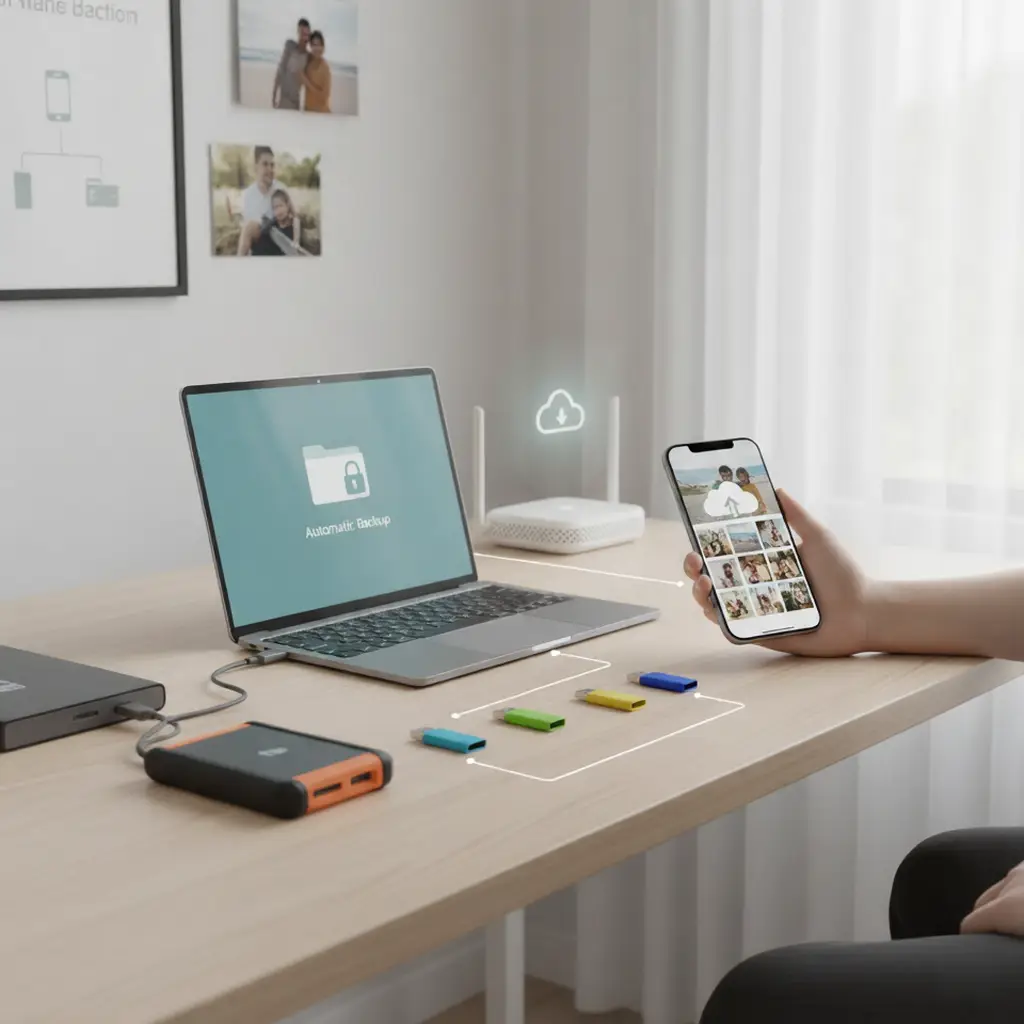
Built-In Phone Backup Features
iPhone iCloud toggles via Settings > [Name] > iCloud > Backup, auto-syncing photos/contacts nightly over Wi-Fi to 5GB free space—selective toggles exclude videos reclaiming 2-3GB, paid 50GB ($1/month) holding 10,000+ photos indefinitely. Android Google One mirrors identically via Settings > System > Backup, 15GB free absorbing 5 years casual shooting before upgrades. Toggle “Back up to Google Drive” enabling full device clones restorable post-resets instantly, previewable web dashboards verifying uploads visually.
External USB Drives for Offline Copies
16-64GB USB 3.0 sticks plug into phone OTG adapters or laptops, Windows File Explorer drag-dropping folders preserving originals—label drives “Photos-2025” via right-click Properties for instant IDs. Mac Disk Utility formats exFAT cross-platform, Time Machine hourly snapshots versioning changes monthly. Auto-run scripts copy new files daily via Task Scheduler, free apps like EaseUS scanning duplicates pre-copy saving 30% space.
Cloud Storage Free Tiers Maximized
Google Photos unlimited compressed JPEGs free historically (15GB compressed post-2021), OneDrive 5GB syncing Office docs/Windows folders natively. Dropbox 2GB auto-uploads phone cameras, shared albums collaborating family contributions securely. Folder structures mimic devices (Photos > 2025 > Vacations) searchable instantly, 2FA logins preventing unauthorized access robustly.
Computer Automatic Backup Schedules
Windows File History hourly copies Documents/Pictures to external drives, pause/resume toggling flexibly—Mac Time Machine full-disk clones hourly retaining 30-day histories recoverable granularly. Exclude temp folders shrinking backups 40%, encrypted BitLocker securing sensitive finances externally. Dashboard previews confirm coverage visually without digging.
Photo-Specific Services for Memories
Google Photos facial recognition tags family members automatically, search “beach 2024” surfacing moments instantly—Apple Photos Memories auto-compiles birthday videos shareable links expiring securely. Flickr 1000 photos free high-res, SmugMug unlimited printing direct from archives. Metadata preserves dates/locations intact across platforms seamlessly.
Hybrid 3-2-1 Backup Strategy
3 copies (phone + cloud + external), 2 media types (digital + physical prints), 1 offsite (cloud during fires)—USB rotations weekly swap houses preventing total losses. Test restores quarterly verifying readability, version histories retaining 7-90 days against overwrites accidentally.
Family Sharing and Collaborative Folders
Shared Google Drive folders invite emails instantly, edit histories tracking contributors chronologically. iCloud Family 200GB pools 6 accounts equitably, permission levels read-only for grandparents viewing safely. Activity feeds notify uploads real-time fostering contributions.
Encryption and Security Basics
Cloud providers AES-256 at-rest encryption standard, 2FA apps like Authy generating codes offline. USB VeraCrypt containers password-protect folders locally, zero-knowledge policies ensuring providers can’t access contents theoretically. Regular password managers like Bitwarden autofill logins securely across devices.
Space Management and Cleanup Tools
Duplicate finders scan libraries reclaiming 20-40GB redundants, CCleaner wipes temp caches freeing 5-10GB monthly. Photo organizers geolocate/tag automatically, timeline views spotting forgotten albums easily. Storage analyzers graph usage visually prioritizing cleans.
Wireless Transfer and Sync Methods
AirDrop iPhone-Mac instant 100MB/s locally, Nearby Share Android equivalent cross-OS. Wi-Fi Direct apps like Feem transfer 1GB in 2 minutes peer-to-peer hotspot-free. NAS drives home-network sync centrally 24/7 automatically.
Physical Media and Print Backups
USB-C SD readers ingest camera cards directly, photo books annual prints preserving 100 favorites tangibly. External Blu-ray burners archive 25GB/discs indefinitely, jewel cases labeling contents durably.
Restore Testing and Recovery Plans
Quarterly simulations delete test folders restoring via cloud verifying chains intact—step-by-step screenshots guide non-tech recoveries confidently. Priority lists rank irreplaceables first (wedding photos > receipts), multi-location grids mapping copies geographically.
Cost Comparisons and Free Limits
Free tiers suffice casual 500 photos/year, 200GB paid ($3/month) families 5 years shooting. Lifetime USBs cost $0.02/GB versus $0.01/GB cloud annually, hybrid balancing risks optimally.
Mobile Apps for On-the-Go Backups
Autosync apps Wi-Fi-only uploads conservatively, photo vault apps hiding privates encryptedly. Widget toggles one-tap initiates, progress bars tracking completion reliably.
Disaster Scenarios and Prevention
Cloud survives floods/thefts, USB fireproof safes protect locally—ransomware exclusions via read-only backups. Multi-factor geo-locations diversify risks continentally.
Maintenance Routines and Alerts
Monthly space checks prompt cleans, email notifications low-storage warnings proactively. Firmware flashes USB bridges quarterly, cloud apps updating features biannually.
Non-Tech Family Training Tips
Demo videos 2-minute weekly, laminated cheat sheets bedside drawers. Shared calendars remind rotations, rewards motivating kids contributing photos regularly.
Future Trends in Automated Backup
AI deduplication saves 50% space intelligently, edge computing local-pre-cloud filtering. Blockchain verification immutables archives tamper-proof eternally.
Starter Kits for Absolute Beginners
5GB iCloud/Google + 64GB USB + labeling pens kit under $20 launches immediately, checklists ticking progress visually satisfyingly.