Portable storage keeps photos, documents, videos, and backups accessible across laptops, phones, and tablets during travel, work, or home organization, yet choosing between USB drives and external hard disks confuses many with capacity differences, speed variations, and durability needs for daily commutes or family sharing without data loss risks. USB drives offer pocket-sized convenience for quick file transfers, while external hard disks handle bulk archives reliably, suiting students carrying assignments, professionals syncing projects, or parents storing kids’ schoolwork and vacation memories securely.
USB Drive Capacities and Practical Uses
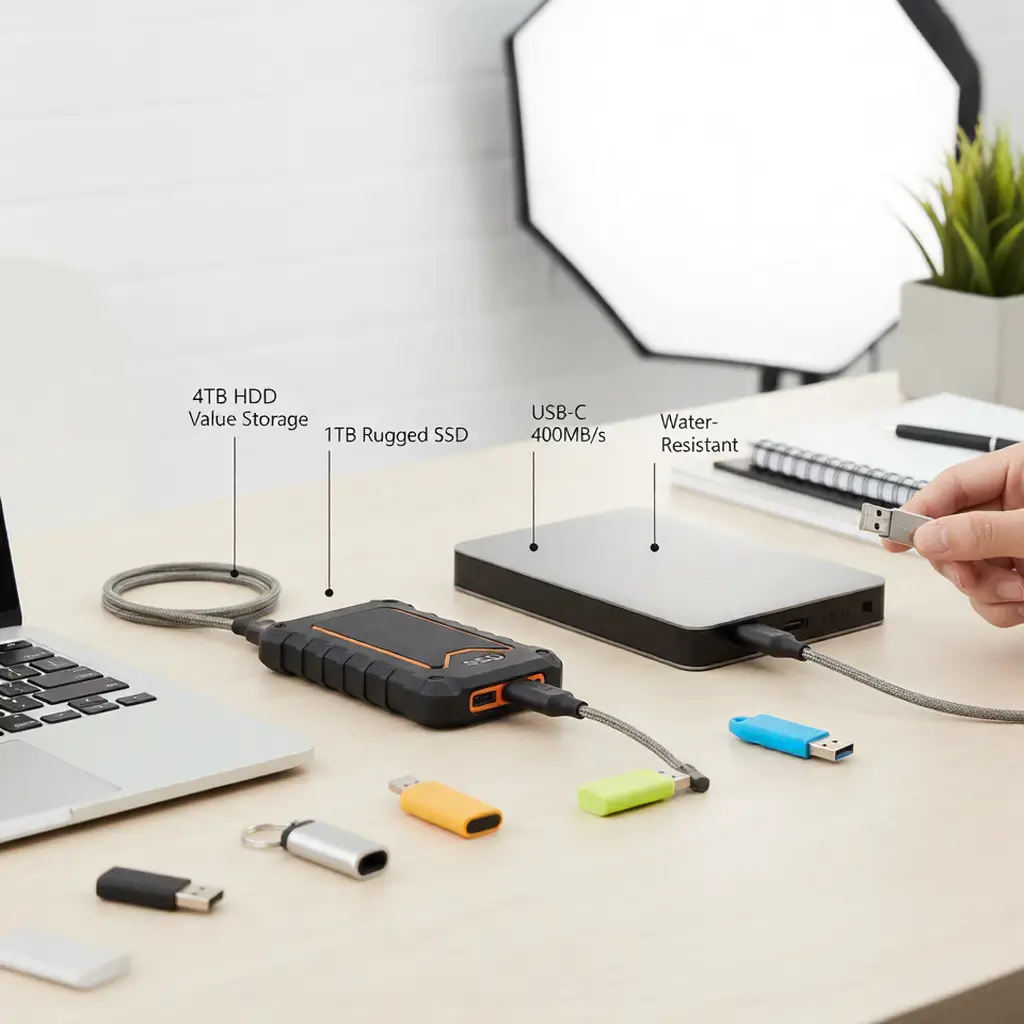
USB 3.2 drives start at 32GB for essential documents like resumes or playlists, fitting keychains without bulk while 128-256GB models store thousands of photos or 100+ hours of videos transferred in minutes to laptops. 512GB-1TB options rival small hard disks for power users archiving software installs or media libraries, metal casings withstanding keyring dangles daily. Read/write speeds hit 400MB/s on USB-C ports, copying 10GB folders in under 30 seconds versus hours on slower 2.0 sticks—prioritize Gen2 for modern devices avoiding bottlenecks.
External Hard Disk Sizes and Performance
2.5-inch 500GB-2TB HDDs spin at 5400RPM delivering 120-150MB/s sustained transfers for budget bulk storage, ideal for full music collections or semester backups weighing under 150g for bag portability. SSD variants accelerate to 500-550MB/s randomly, loading game saves or editing timelines instantly without mechanical vibration noise during train rides. 4TB+ capacities archive years of family videos durably, shock sensors parking heads on drops protecting data mid-transfer.
Speed Comparisons Across Workflows
USB drives excel in random small-file bursts like photo imports (50-100MB/s effective), beating HDDs’ seek times for scattered office docs or app configs. Large sequential transfers favor SSD externals copying 100GB movies in 5-10 minutes versus 15-20 on HDDs, USB 3.2 matching SATA III saturations fully. Real-world benchmarks show 256GB USB-A sticks lagging 20% behind C-port equivalents, hybrid workflows benefiting dual-device ownership.
Durability and Build Quality Factors
Rubberized USB housings survive 1-2m drops onto tiles repeatedly, IP67 seals repelling rain during hikes unlike unsealed HDDs vulnerable to jolts spinning platters. SSD externals without moving parts endure 5m falls per MIL-STD tests, aluminum shells dissipating heat during prolonged writes keeping NAND stable below 70°C. Capacities over 4TB demand vibration dampeners in HDDs for laptop syncing reliability.
Compatibility with Devices and OS
USB-A 3.0 sticks plug universally into desktops, TVs, and older laptops without adapters, exFAT formatting enabling Mac-Windows cross-compatibility seamlessly. USB-C externals chain directly to Android phones via OTG, NTFS reads suiting Windows primaries with read-only Mac access. Thunderbolt docks accelerate 40Gbps SSDs for pros editing 4K raws, plug-and-play UASP modes boosting throughput 2x over basic BOT protocols.
Power Requirements and Portability
Bus-powered USB drives draw 5V/0.9A universally from any port without bricks, thumb-sized profiles slipping into wallets unnoticed. 2.5-inch HDDs/SSDs sip 5V/1A steadily, Y-cables splitting power for finicky laptops while passport-sized 1TB SSDs travel lighter than 500GB HDDs at equal capacities. External batteries unnecessary unless chaining multiple high-draw units.
Data Security and Encryption Options
Hardware AES-256 encryption on premium USBs locks via PIN or biometrics, 256-bit keys protecting tax files or client contracts without software overhead slowing speeds. HDDs integrate TCG Opal standards similarly, RAID-0 striping on dual-unit enclosures doubling throughput for video editors. Auto-lock timers engage after 5 idle minutes, firmware updates patching vulnerabilities quarterly.
Price Per GB and Value Analysis
USB drives cost $0.05-0.10/GB at 128GB scales, dropping to $0.03 for 1TB bulk buys versus HDDs’ $0.02-0.04/GB making 4TB economical for archives. SSD externals command $0.08-0.15/GB premiums for speed/durability, 5-year warranties offsetting 2x NAND write cycles over QLC bargains. Lifecycle costs factor MTBF ratings exceeding 1.5M hours reliably.
Heat Management and Longevity
Passive-cooled USBs stay under 50°C transferring continuously, silicone grips doubling as heat sinks naturally. HDDs require occasional parking via utilities preventing wear on idle platters, SSDs’ TBW ratings guaranteeing 300-600TB writes before degradation—daily 50GB backups lasting 15+ years conservatively.
Backup Strategies Using Both
3-2-1 rules employ USBs for offsite quick-grabs (32-128GB rotations) alongside HDDs mirroring primaries weekly via free tools like Macrium Reflect. Incremental syncs update deltas minimizing transfer times, versioning retaining 7-30 day histories against overwrites. Cloud hybrids tier cold data to HDDs freeing hot USBs for active projects.
Which to Buy: Decision Matrix
Under 500GB needs favor USB speed/portability ($20-60), 1TB+ archives select HDD value ($50-100), pros demand SSD performance ($80-150). Multi-device users prioritize USB-C universality, single-laptop owners leverage enclosures flexibly. Test workflows copying representative files benchmarking real gains.
Maintenance Routines and Troubleshooting
Eject properly avoiding write-cache flushes corrupting partitions, defragment HDDs quarterly boosting access 20%. Update firmware biannually patching exploits, S.M.A.R.T monitoring alerting platter errors early. Cross-check backups monthly verifying integrity via hashes.
Future-Proofing with USB4 and NVMe
USB4 enclosures hit 40Gbps enclosing M.2 SSDs affordably, PCIe 4.0 lanes saturating modern ports fully. Backward-compatible designs bridge generations seamlessly, capacities climbing to 8TB+ portably by 2026 trends.
Family and Shared Usage Scenarios
Kid-sized USB keychains hold homework safely, color-coded externals assigning family partitions via BitLocker. Parental controls limit overwrites, shared HDDs centralizing photos durably without cloud subscriptions.